
Amazon has officially introduced a new API platform called the Amazon Creators API, and has announced that the existing PA-API will be discontinued on January 30, 2026.
To ensure uninterrupted product syncing and bulk imports in Spreadr using API keys, all merchants must create and switch to Amazon Creators API credentials before this deadline.
Prerequisites:
Before registering for the Amazon Creators API, your Amazon Associates account must be fully reviewed and approved.
If your account is not yet finally accepted, you can request approval by submitting the Amazon Associates Contact Us form and explaining why you need access to the Creators API.
No new affiliate account is required — your existing Amazon Associates account can be used.
How to sign up for the Amazon Creators API:
1. After you sign-in to your Amazon Associates account, in the Amazon Associates page, choose Tools and then choose Creators API.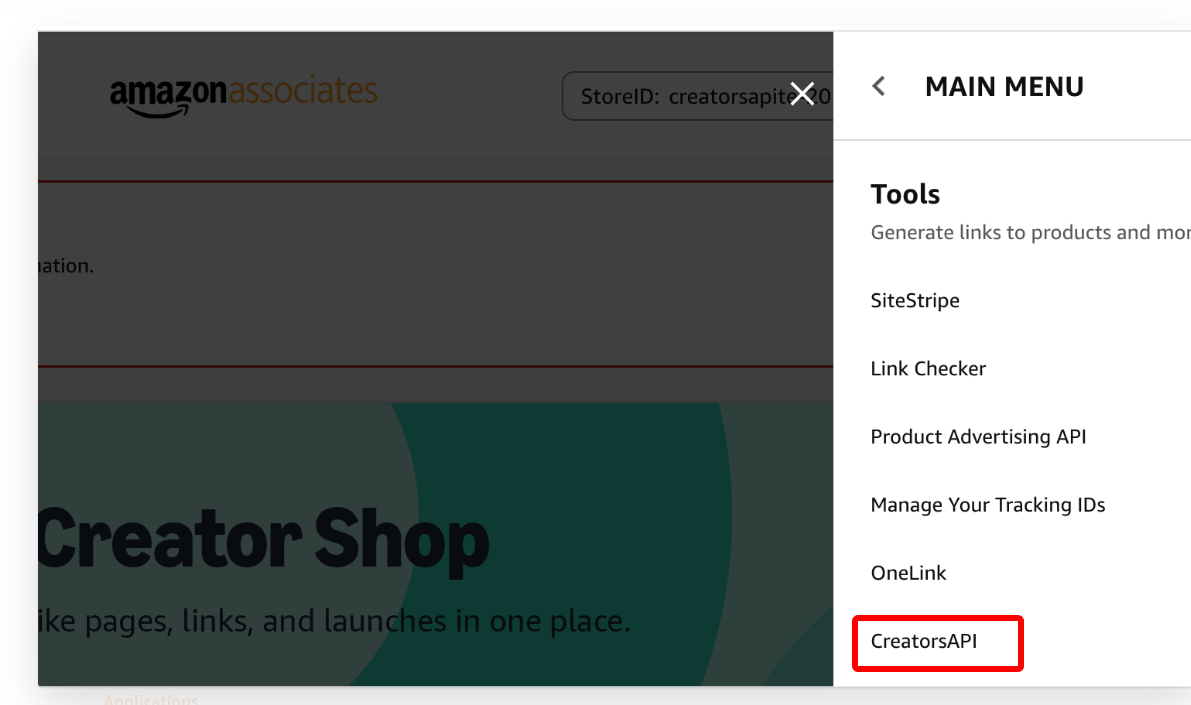
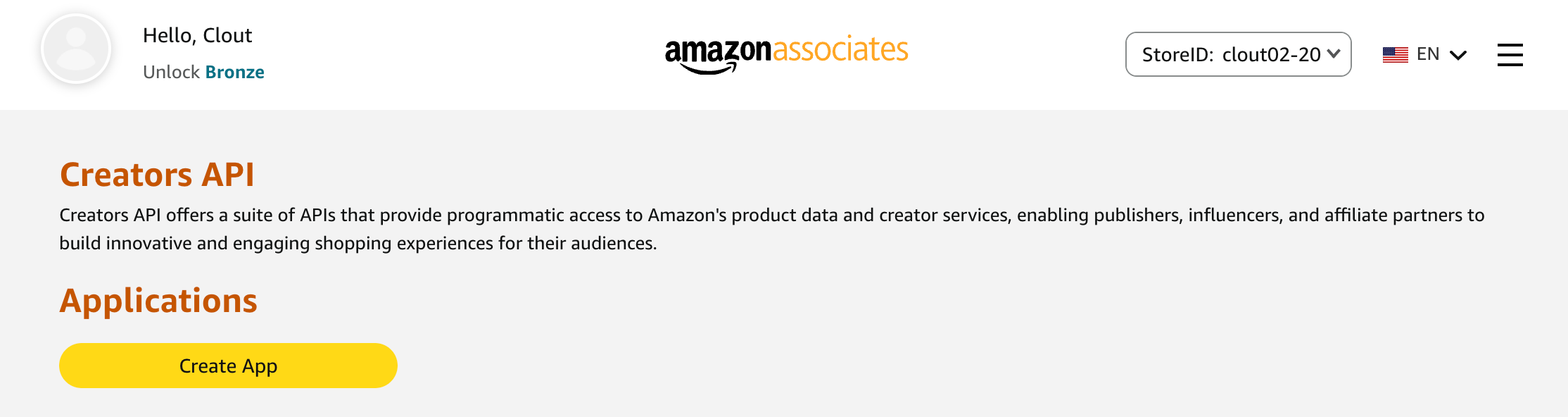
2. Click Create App.
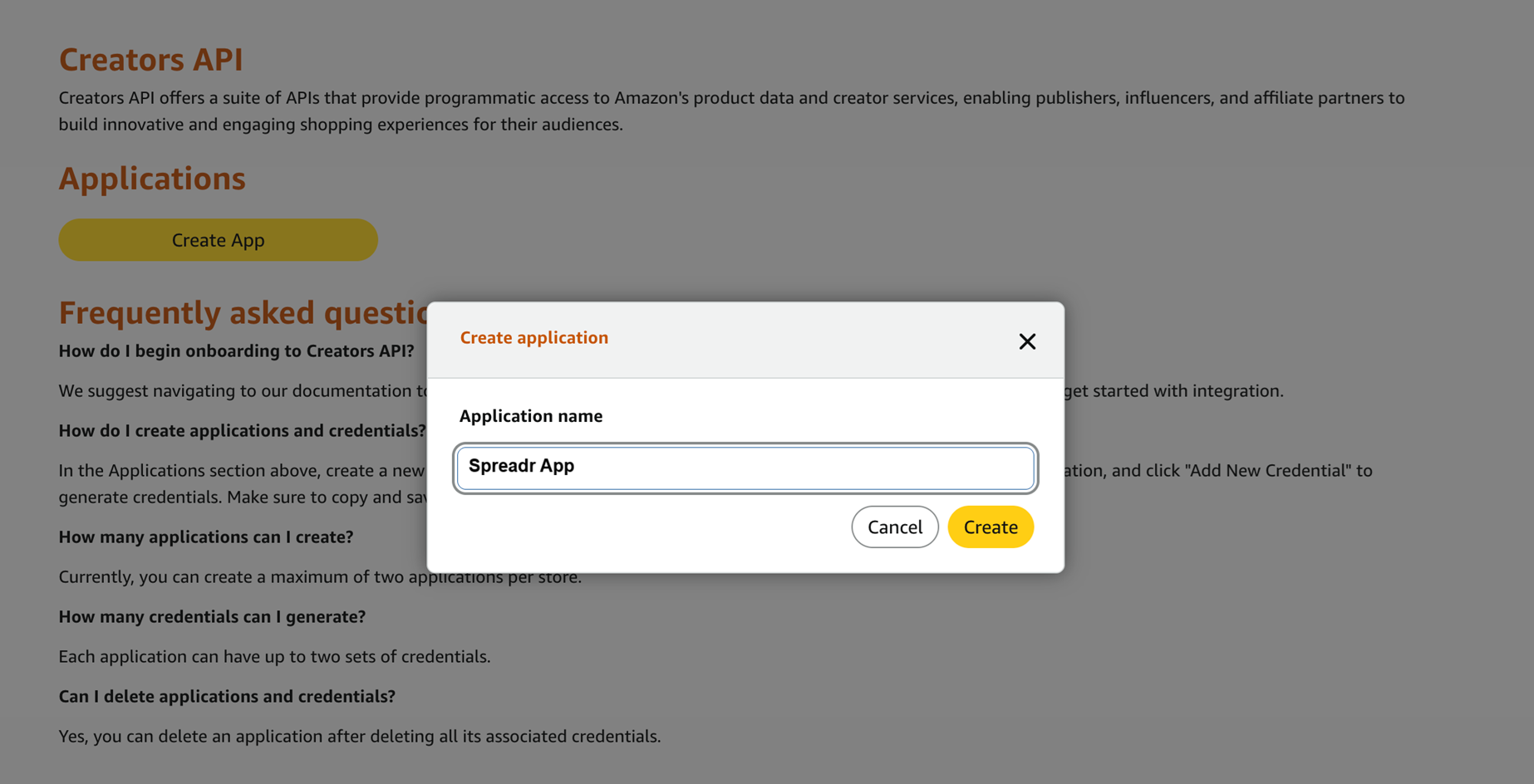
3. Provide: Application name. For example: Spreadr App and hit Create button.
4. After creating the application, Amazon will generate: Client ID and Client Secret.
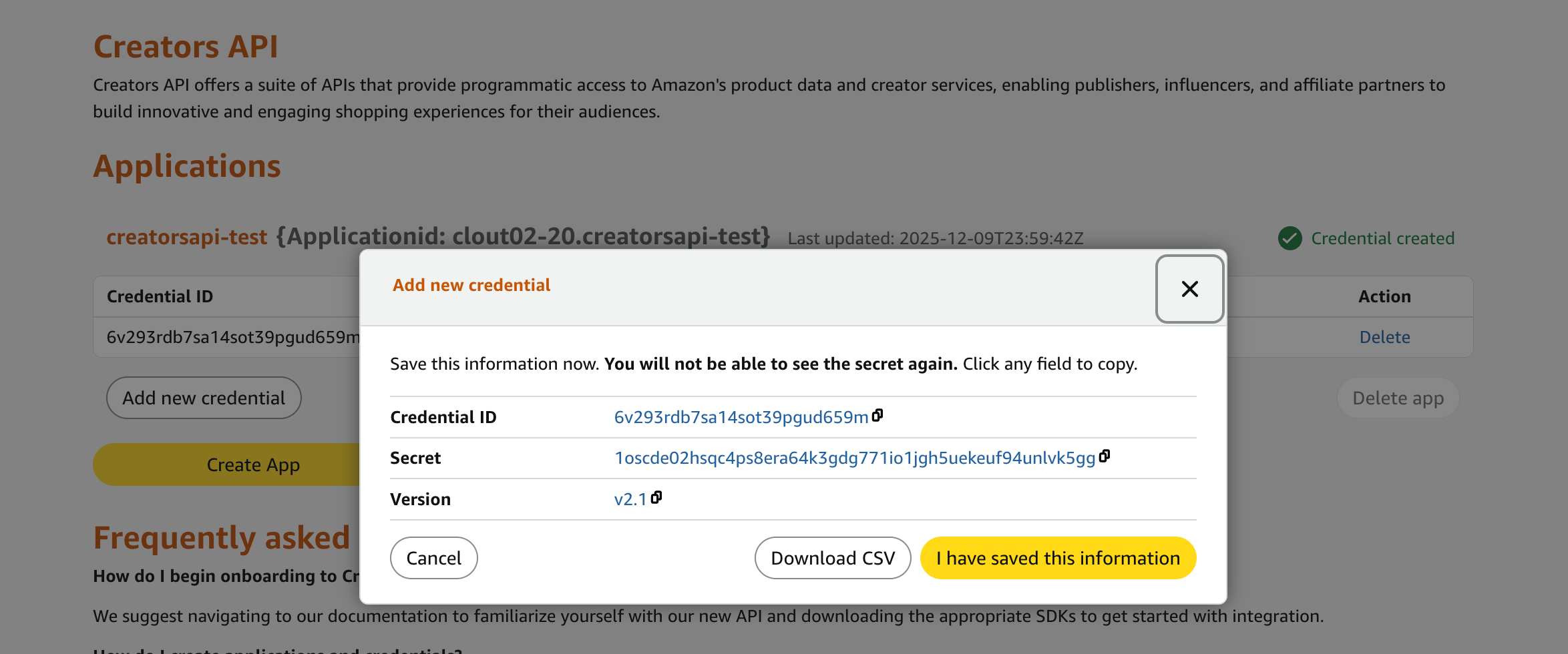
Important: Copy and store these credentials securely. You can download the CSV file as well. The Client Secret may not be shown again.
Adding Creators API Credentials in Spreadr:
Once you have your new credentials:
Open your Shopify Admin
Go to Apps → Spreadr
Navigate to Settings.
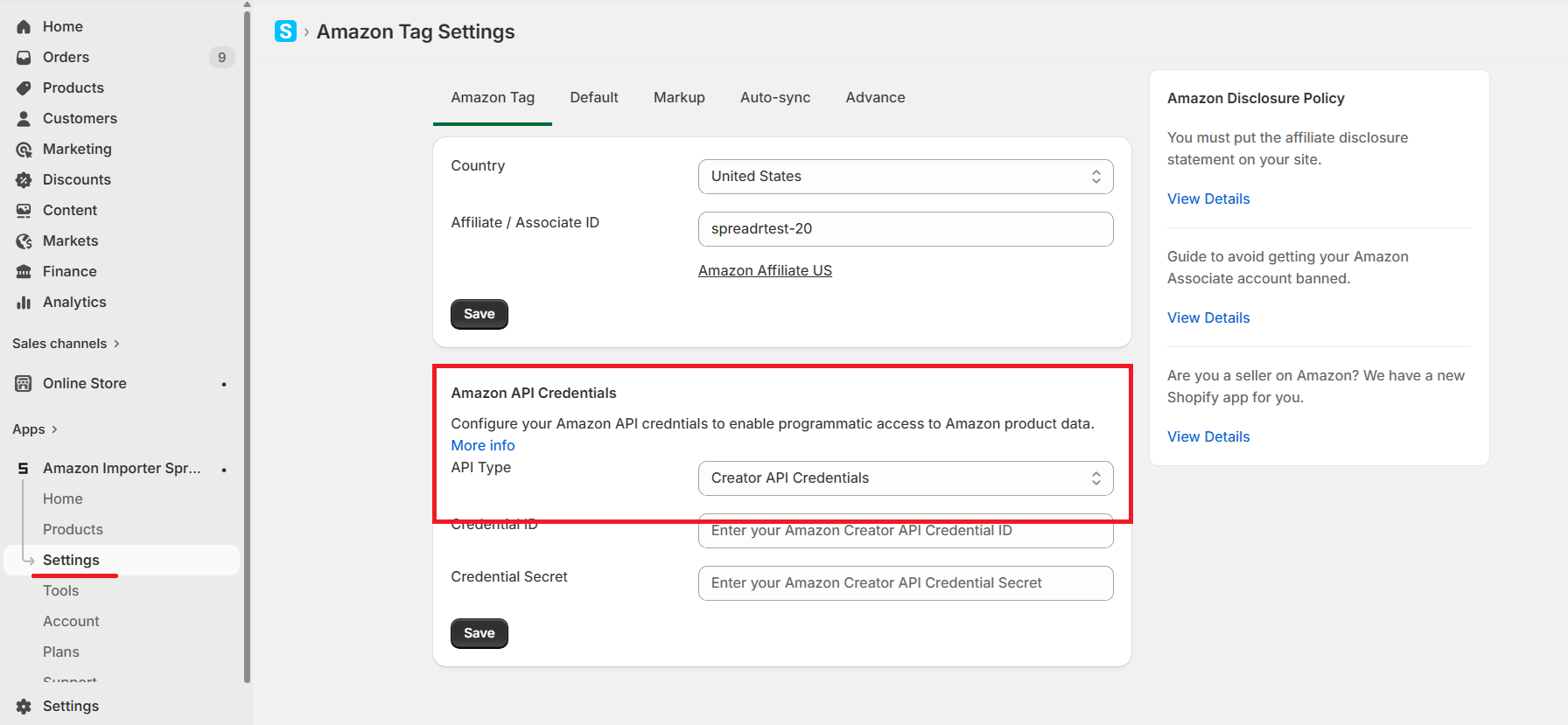
Under Amazon API Credentials > Select API Type as Creator API
Enter:
Credential ID
Credential Secret
Save settings.
Spreadr will automatically begin using the new API for product imports and updates.
Notes:
- No need to create new Affiliate account, you can use your existing affiliate account.
- We recommend one Creator API key per store for safety and monitoring if you have multiple stores.
- Your affiliate links and tracking remain unchanged.
